
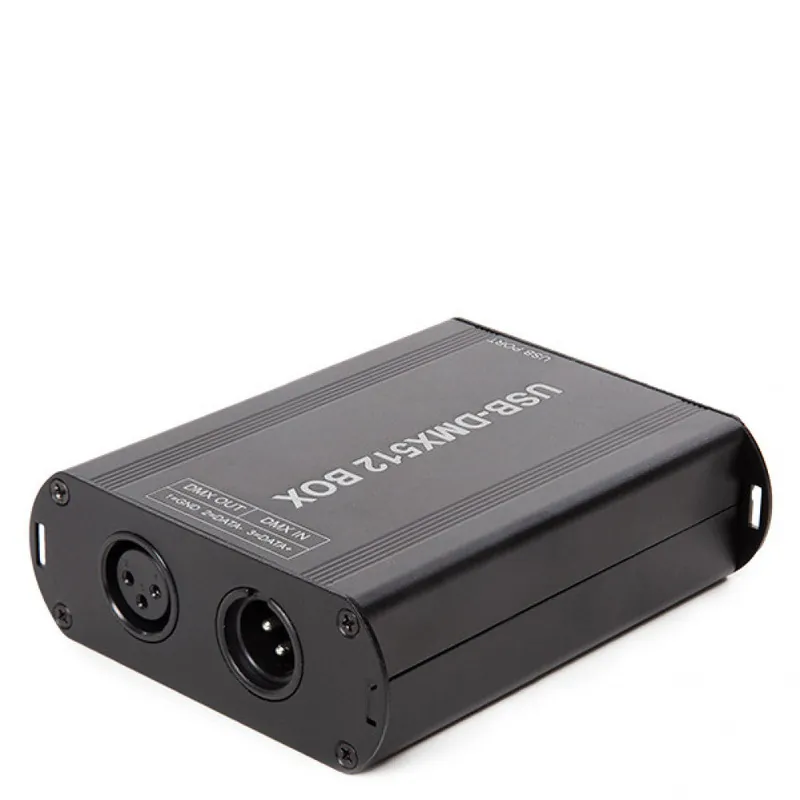
Description
The USB-DMX512 Controller connects with the USB interface of the computer.
Interface connection:
Press and hold the €œFUN€ button and insert the USB cable at the same time. The computer will recognize and open the drive. When the PC recognizes the driver, the USB signal light will be on, then the interface installation is complete.
Instructions:
Insert the disk inside the CD-ROM drive, double click on the file FSetup.exe, then start the installation, select “Next step”, after installed, the computer will restart, during the installation several error screens will appear (you have to click on €œignore€ and continue with the installation).
Click on FreeStyler inside the program, it is necessary to configure the interface, select DMX512 €œUSB DMX512BOX€ , then select €œInstallation€ in the top left of the window.
Avis
Il n’y a pas encore d’avis.